
Take bookings online 24/7
Let clients book real openings by service and provider from your booking page, website or the client app.
Free forever Not a trial. No card, no contract, unlimited staff. Card payments cost 3.9% + 30¢. Our promise →
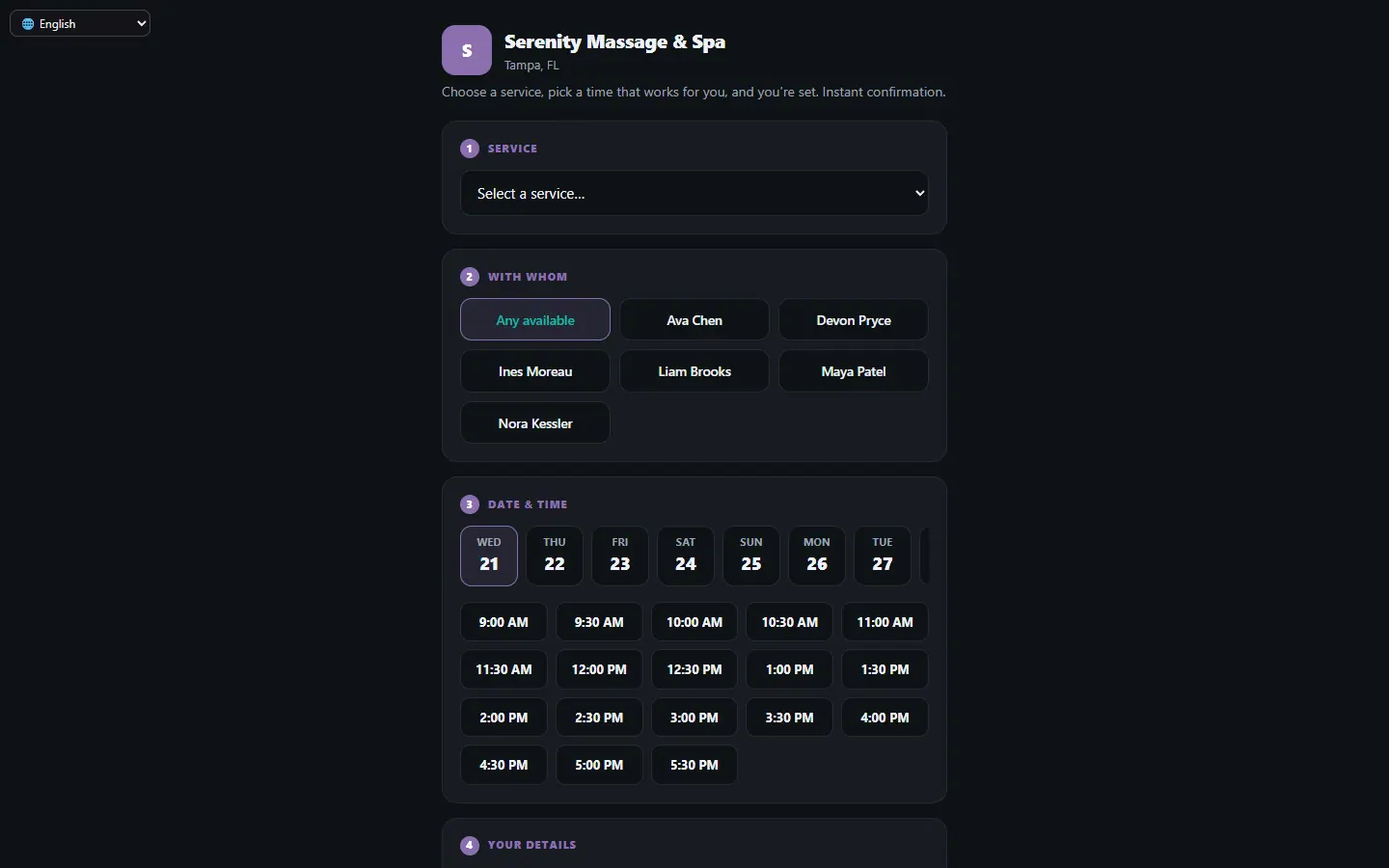
Step 1: Choose how bookings arrive
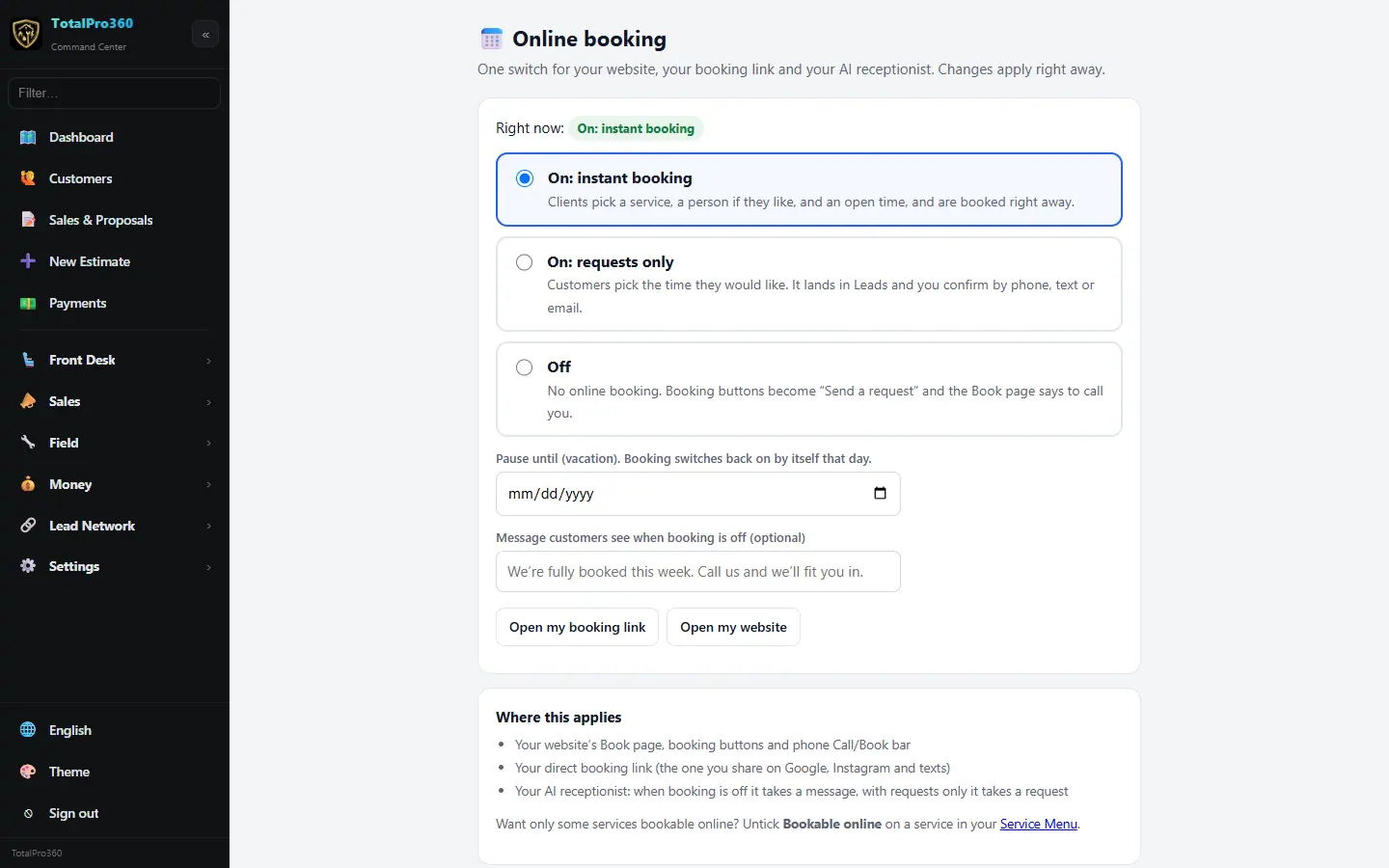
Open Settings → Online Booking (on / off). It’s one switch for your website, your booking link and your AI receptionist, and changes apply right away. Pick On: instant booking (clients pick a service, a person if they like, and an open time, and they’re booked), On: requests only (they pick a time they’d like, it lands in Leads, and you confirm by phone, text or email) or Off. The same switch is the Booking row at the bottom of the side menu on every page, with On, Requests only and Off.
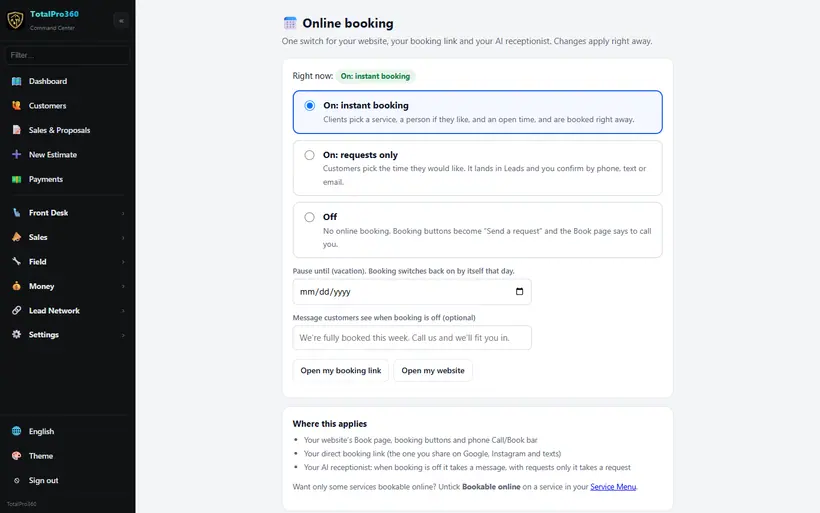
Real screen from the demo account; names and numbers are sample data. Step 2: Check what can be booked
Clients see your service menu, prices and providers, and only times that fit your hours, staff schedules and rooms. Set those in the service menu.
Step 3: Take payment when clients book
Open Front Desk → Service Menu → Booking policy and turn on Payment when clients book online. Pick what clients pay up front: a deposit (a % or a flat amount), pay in full with an optional “pay now and save” discount, let the client choose, or nothing. You can also offer a nonrefundable rate with its own discount, the way hotels do, and let clients pay at the visit instead. We start you with a suggestion for your trade, and each service can use its own setting under Edit service → When booked online.
Money paid at booking is held as a customer deposit in your books, not revenue. It becomes revenue when you check the visit out, and the pay-ahead discount shows on the receipt. If a client cancels in time, open the appointment and press Refund booking payment. Nonrefundable bookings aren’t refunded unless you choose to.
Step 4: Share your booking link
Click 🔗 Booking link in the Appointment Book to get your link. Add it to your website, Google Business Profile, social profiles and email signature. Your free website includes it already.
Step 5: Try it yourself
Open Front Desk → Service Menu → Booking policy and click Preview as a client (or Preview my booking page as a client on the Online Booking page) while you’re signed in. Your page opens with an Owner preview box on top that only you see. Leave Test mode ticked, pick a service, a person and a time, and click Make a test booking. Test bookings keep no phone or email, so no text or email goes out. It shows in your Appointment Book marked TEST, and you can click Delete this test booking right away.
If a service says Nothing is open in the next two weeks, the owner box underneath says why, for example nobody is set up to do that service, or your hours aren’t set, with a link to fix it. Clients only see the polite waitlist message.
Still stuck? Tell us what you were trying to do and where you got stuck. A screenshot helps.
Your ticks are saved in this browser only. Updated October 2026.
Questions about this
Does online booking cost anything?
No. The booking page and confirmation are free.
Can clients pay when they book?
Yes. Turn on Payment when clients book online under Front Desk, Service Menu, Booking policy. Ask for a deposit or the full price, offer a pay-ahead discount or a nonrefundable rate, or let the client choose. It’s off until you turn it on.
How do I refund a client who paid when they booked?
Open the appointment in the Appointment Book and press Refund booking payment. It goes back to their card, and your books move it out of customer deposits. If you already refunded it in Stripe, tick the box to just record it.
My booking page says nothing is open, but I have chairs and time. Why?
Usually nobody bookable does that service. Clients can only book people who do services: turn on Does services for yourself or a team member in Service Menu → Staff profiles, and check who is picked on the service. Open your booking page while signed in and the owner box tells you the exact reason.