
Free mobile mechanic software for a shop with no walls.
Working out of a van means the schedule has to respect travel, and the estimate has to be built and approved standing next to the car. TotalPro360 does both from a phone.
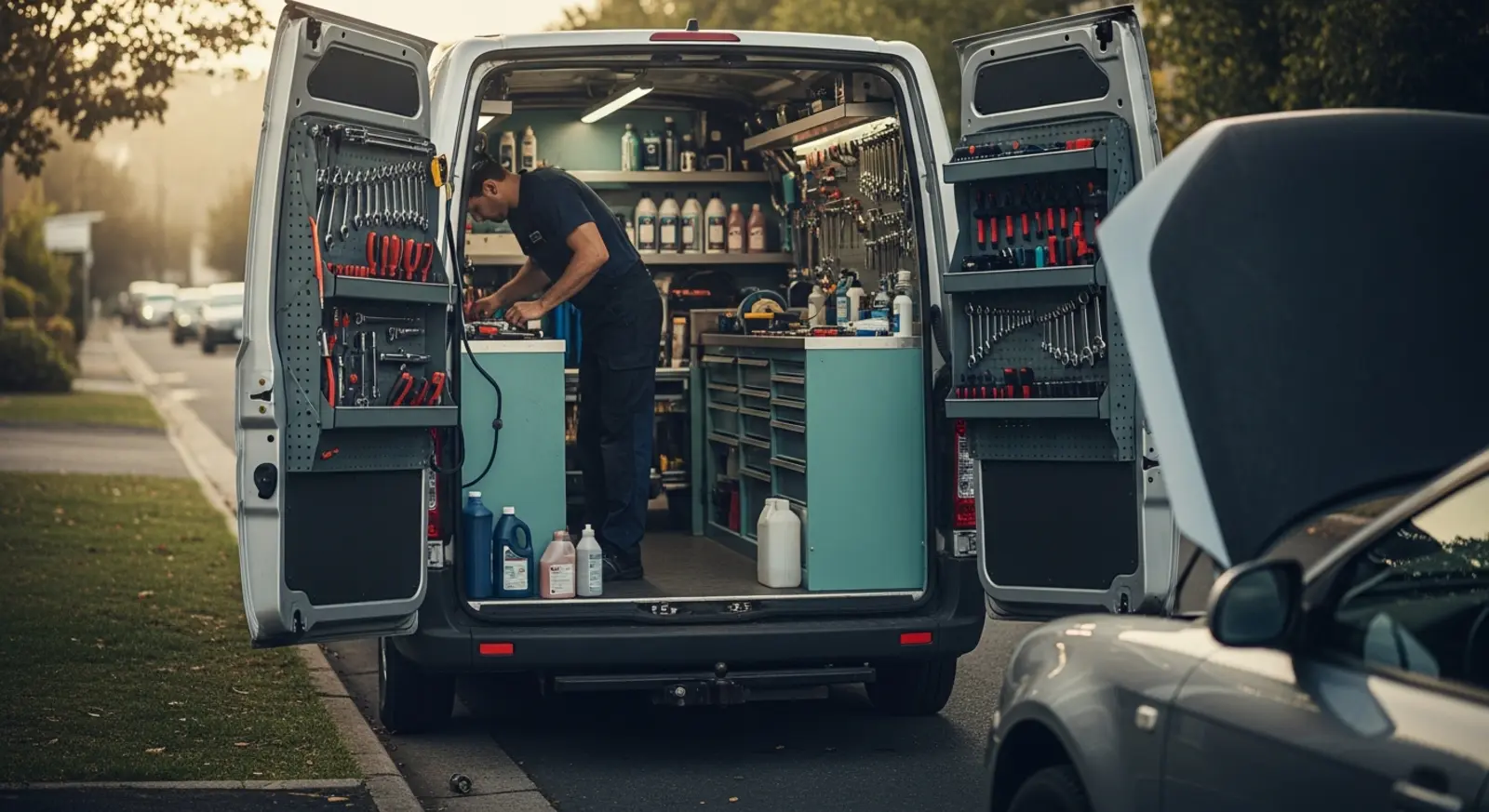
What slows a mobile mechanic down
- A day booked with no allowance for drive time
- Estimates written on a phone note and rebuilt later
- Getting paid days after the repair because the invoice went out at night
None of that is a mechanic problem. It is a software problem, and the software that fixes it has historically cost more per month than a mobile mechanic could comfortably justify.
Built for how a mobile mechanic actually runs
Appointments that account for travel
Each job carries its own length and travel allowance, so the day is bookable without quietly assuming teleportation.
Estimates built at the curb
Assemble parts and labor from a stored price list on a phone, and let the customer approve it standing there.
Vehicle history that follows the car
VIN, plate, mileage and every prior repair on the vehicle record — useful the second time the same fault appears.
Approve, then invoice, without retyping
The approved estimate becomes the invoice. The number the customer agreed to is the number they get.
Card payment before you drive away
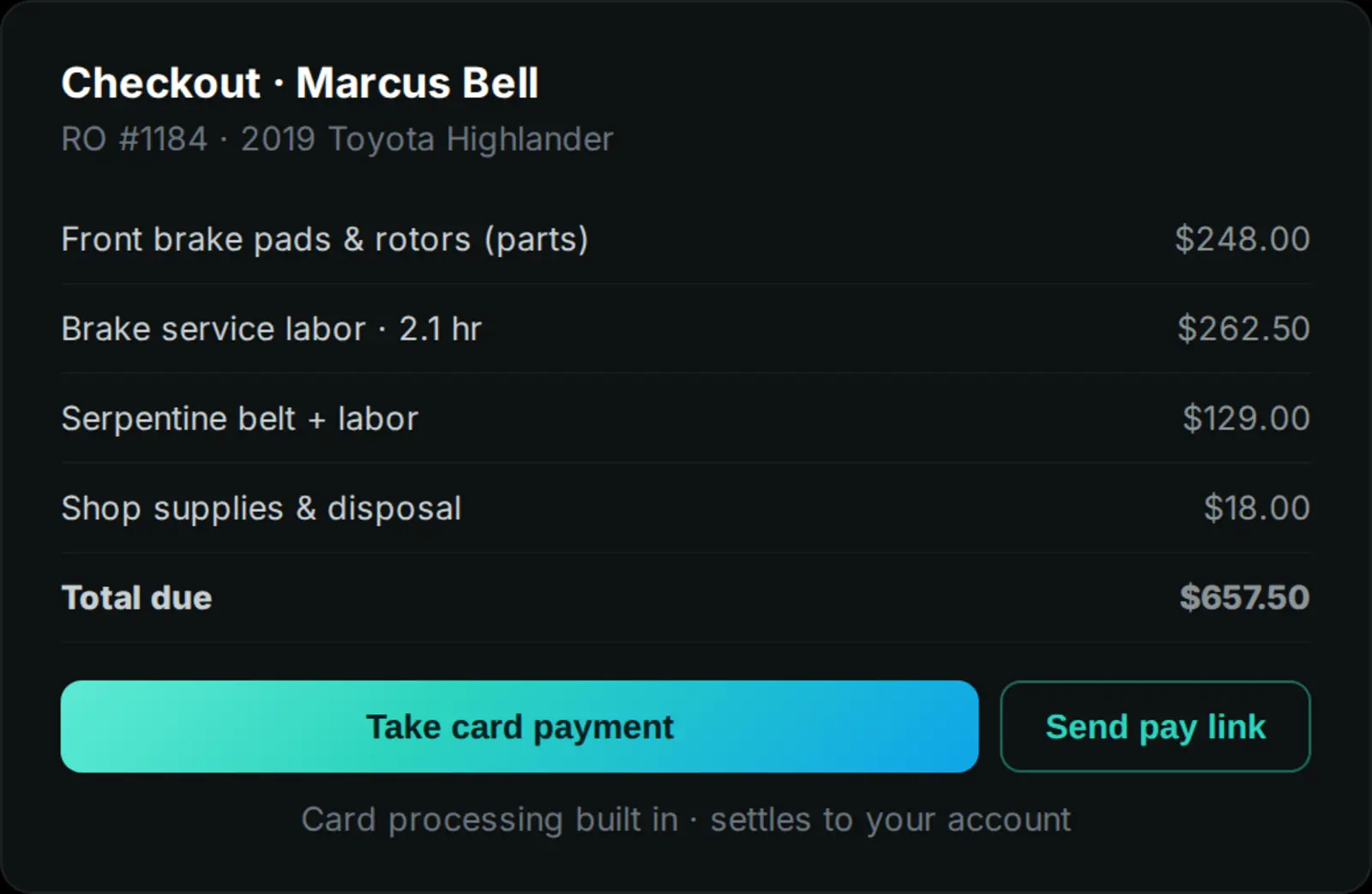
Take the card on the spot or send a pay link, and see outstanding balances without a spreadsheet.
Everything works on the phone
The whole job — schedule, estimate, approval, payment — runs from the device already in your pocket.
See how it works
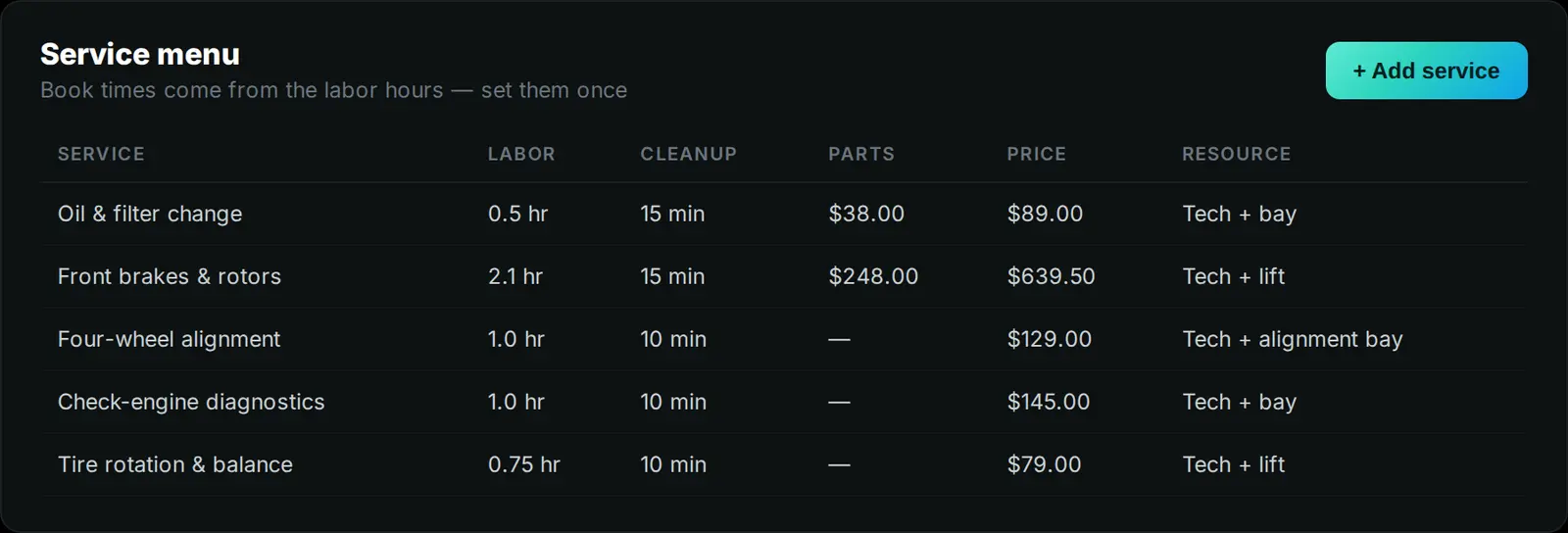
One screen that knows what each job takes, which technician can do it and which bay it needs — then an estimate the customer can approve from anywhere.
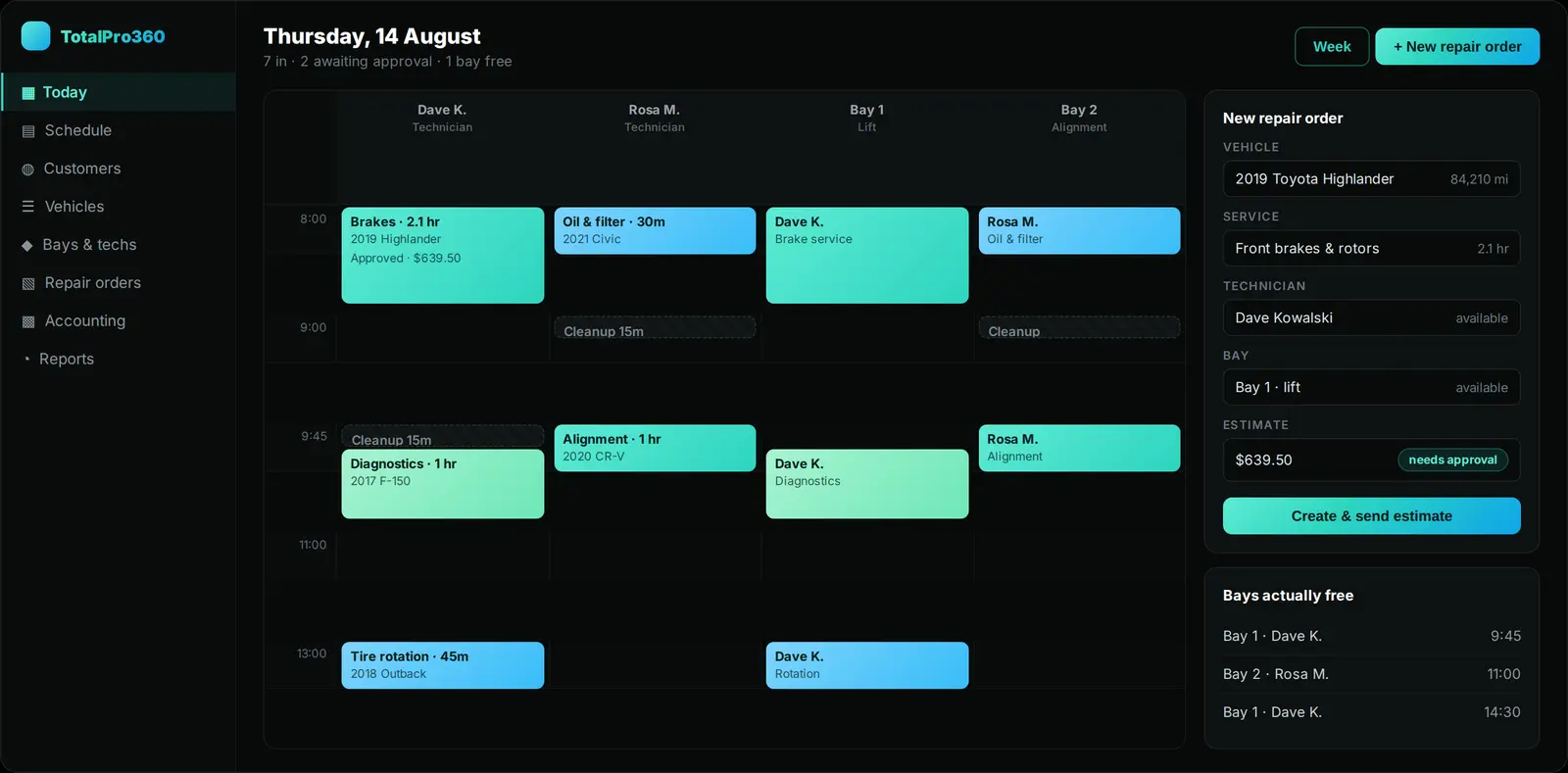
Services carry their own duration and turnover buffer; staff and rooms are booked together, so only genuinely open slots are offered.
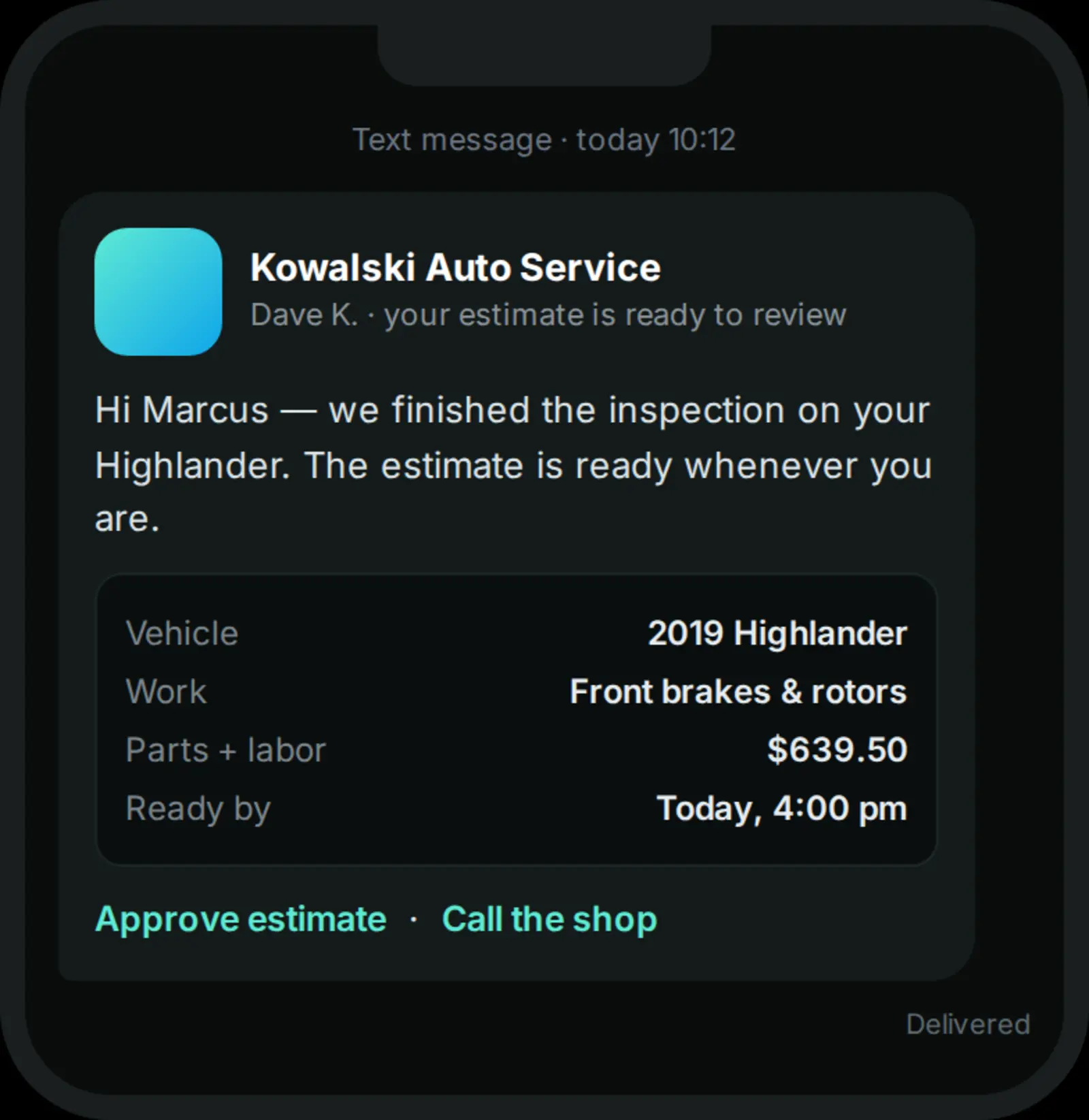
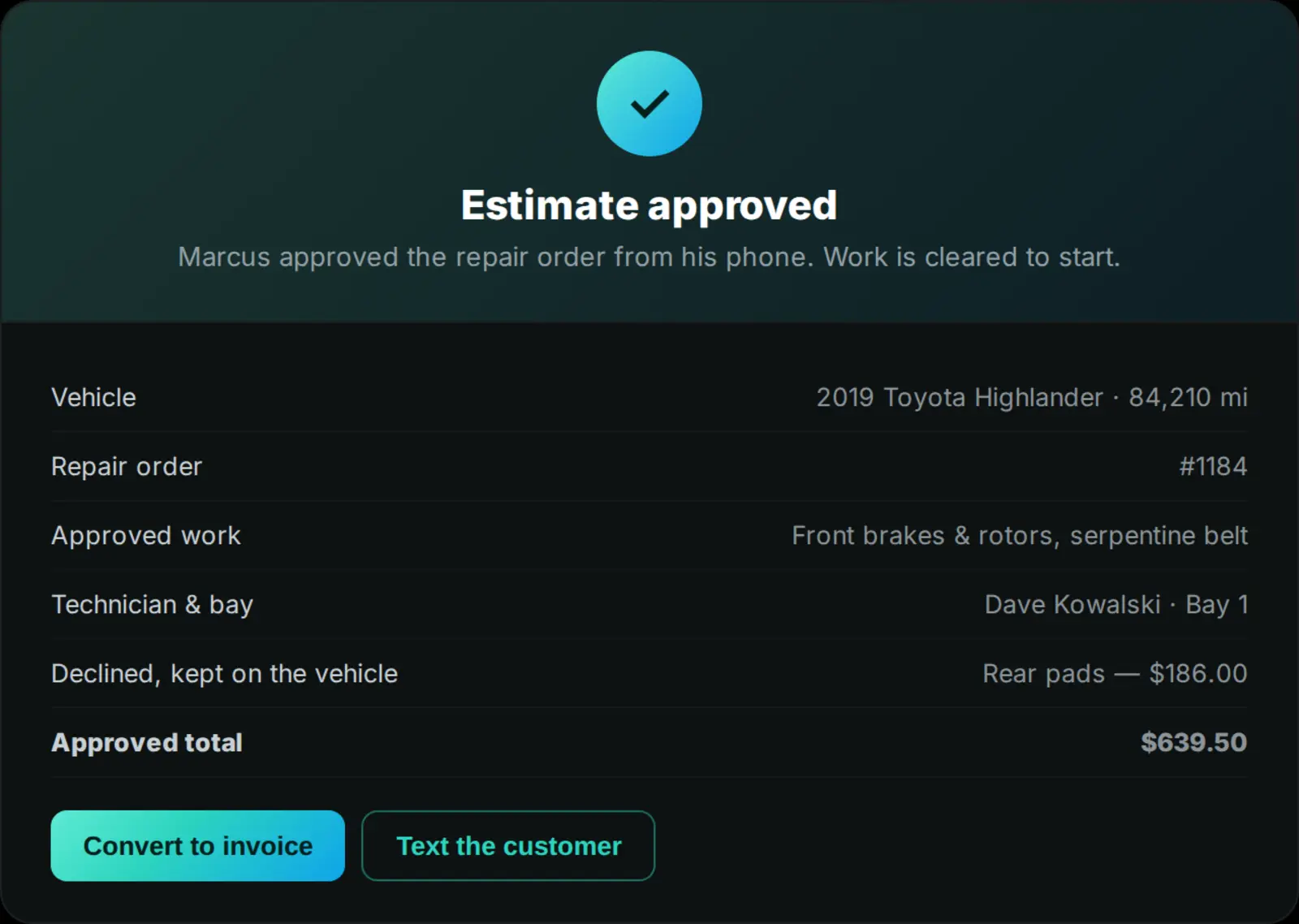
Estimates a customer can approve from their phone
Parts and labor as separate lines from a stored price list, attached to the vehicle rather than the customer, with previously declined work still on the record.
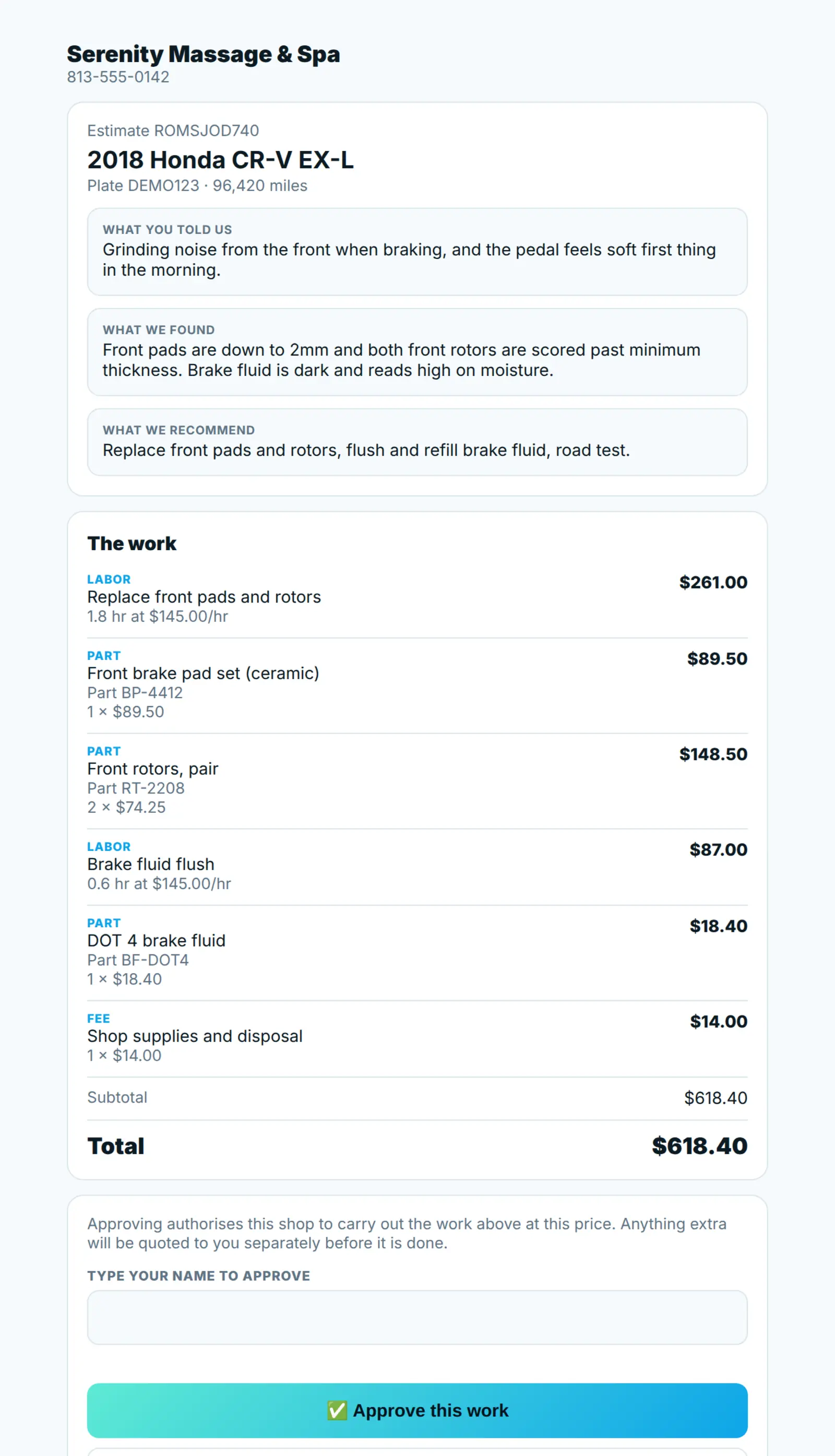
The approved version converts straight to an invoice, so the number quoted is the number charged.
$0 per month. $0 per seat. No card to start.
The business dashboard is free — booking, client records, service menu, quotes, invoicing and reporting included. There is no trial that turns into a bill, and no seat count to manage as you hire.
The platform earns when you do: a small margin on card processing, and the referral network. Never a software subscription. Read the full breakdown →
Where the product is today
TotalPro360 is in early access, and it is worth being straight about what that means. The platform underneath it has been running for home-service businesses for over a year, and the in-person layer — the service menu, the booking engine, deposits, counter checkout, packages and repair orders — went live on 7 August 2026. Every screenshot on this page is that software. The one item on the right is what is genuinely still to come.
Live today
- Service menu with per-service duration and turnover buffer
- Bookable resources — chair, room, bay, table, station
- Online booking against real availability
- Deposits taken at the time of booking
- Text and email confirmations, and day-before reminders
- Counter checkout with retail items and tips
- Packages, series and class passes that count down
- Vehicle records and repair orders, approved from a phone
- Accounting mounted inside the dashboard
- Staff photos and bios on your booking page
- Customer records and history
- Quotes and estimates from a stored price list
- Invoicing, with the approved quote carried across
- Card payments — at the counter or by pay link
- Staff records, roles and permissions
- Reporting on revenue and outstanding balances
Still in build
- Payroll, through the accounting module
Early access members shape the order these ship in, and pay nothing at any point. Why the software is free →
Mobile mechanic software questions
What does it cost?
Nothing. No subscription, no per-job fee and no card to start.
Can I build an estimate on site?
Yes. Estimates are built from your stored price list on a phone and can be approved by the customer immediately.
Does it handle travel time between jobs?
Yes. Jobs carry a travel allowance alongside the work itself, so the day reflects reality.
Can I take payment on the spot?
Yes — card at the vehicle, or a pay link if the owner is not there.
Further reading



Software for every service business
Run the mobile mechanic like a much bigger one.
Early access is open. Bring your staff, your clients and your service menu — leave the software bill behind.
Get early access Log in