
Free interior design software for decorators and designers.
A design job is a consult, a scope, a deposit, a few visits and a final reveal. TotalPro360 books it, quotes it and gets you paid, with the photos and notes on the client’s record.
Free forever Not a trial. No card, no contract, unlimited staff. Card payments cost 3.9% + 30¢. Our promise →
What slows a decorating business down
- Consults booked over text, then moved twice
- Room design quotes written from scratch for every client
- Before photos, paint colors and measurements lost in your camera roll
- Final payments chased after the reveal
None of that is a design problem. It’s a software problem, and most business software is priced for firms with a full office staff.
Built for how a design business actually runs
Design consults booked online
Clients pick an open consultation time from your booking page, and you see what room they want help with before you arrive.
Packages for rooms, color and styling
Room design, color consultations and styling or staging start on your service menu with your prices, so every quote is consistent.
Deposits before you start
Require a deposit when the project books, credited against the final invoice.
Photos and notes on the client
Private before-and-after photos, measurements, paint colors and notes stay on the client’s record, not your camera roll.
Visits at the client’s home
Switch on “We go to the client” and your appointments happen at the client’s address, with travel time built in.
Balance due, collected
Send a pay link for the balance and see what’s outstanding at a glance.
See how it works
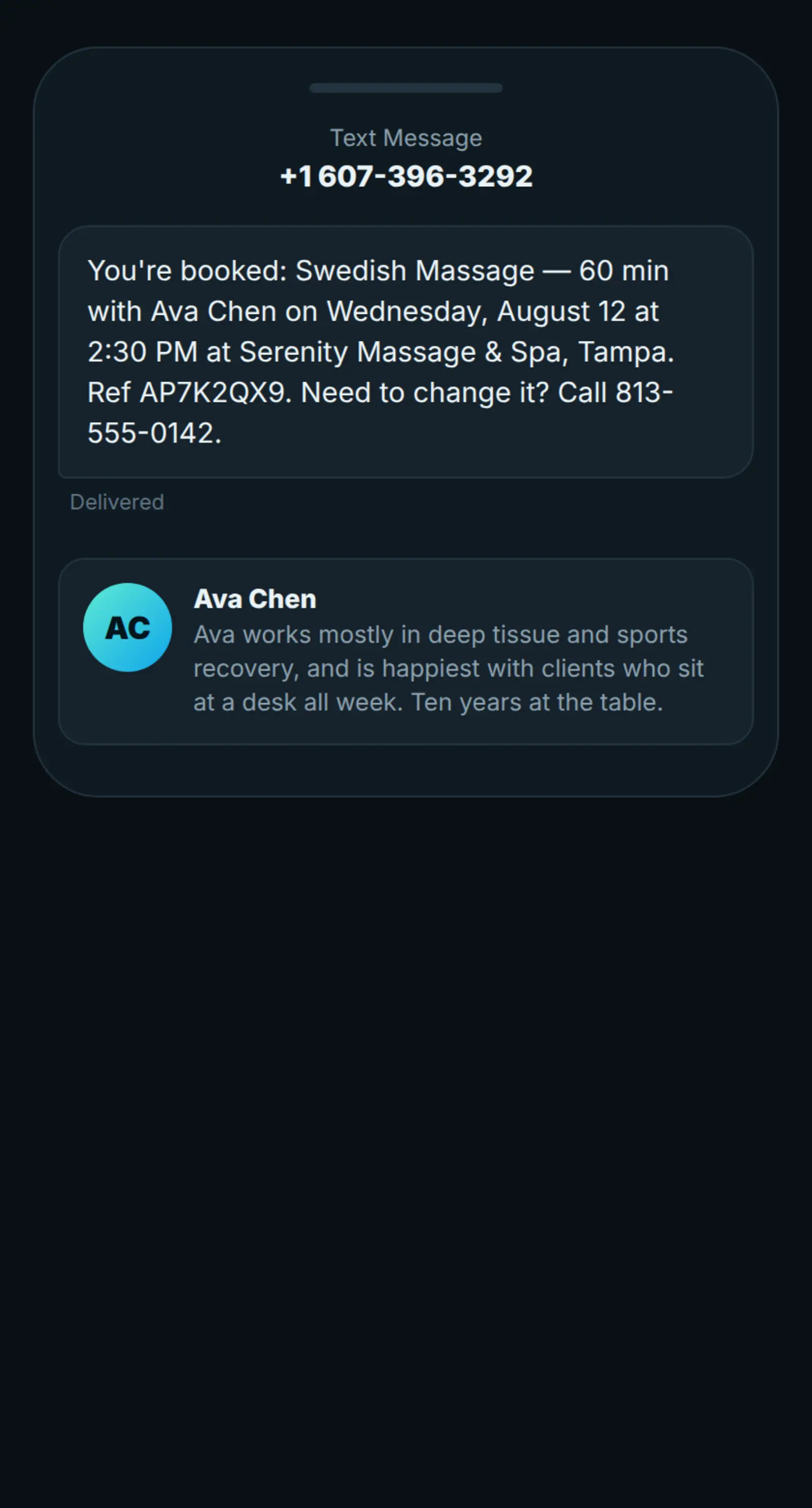
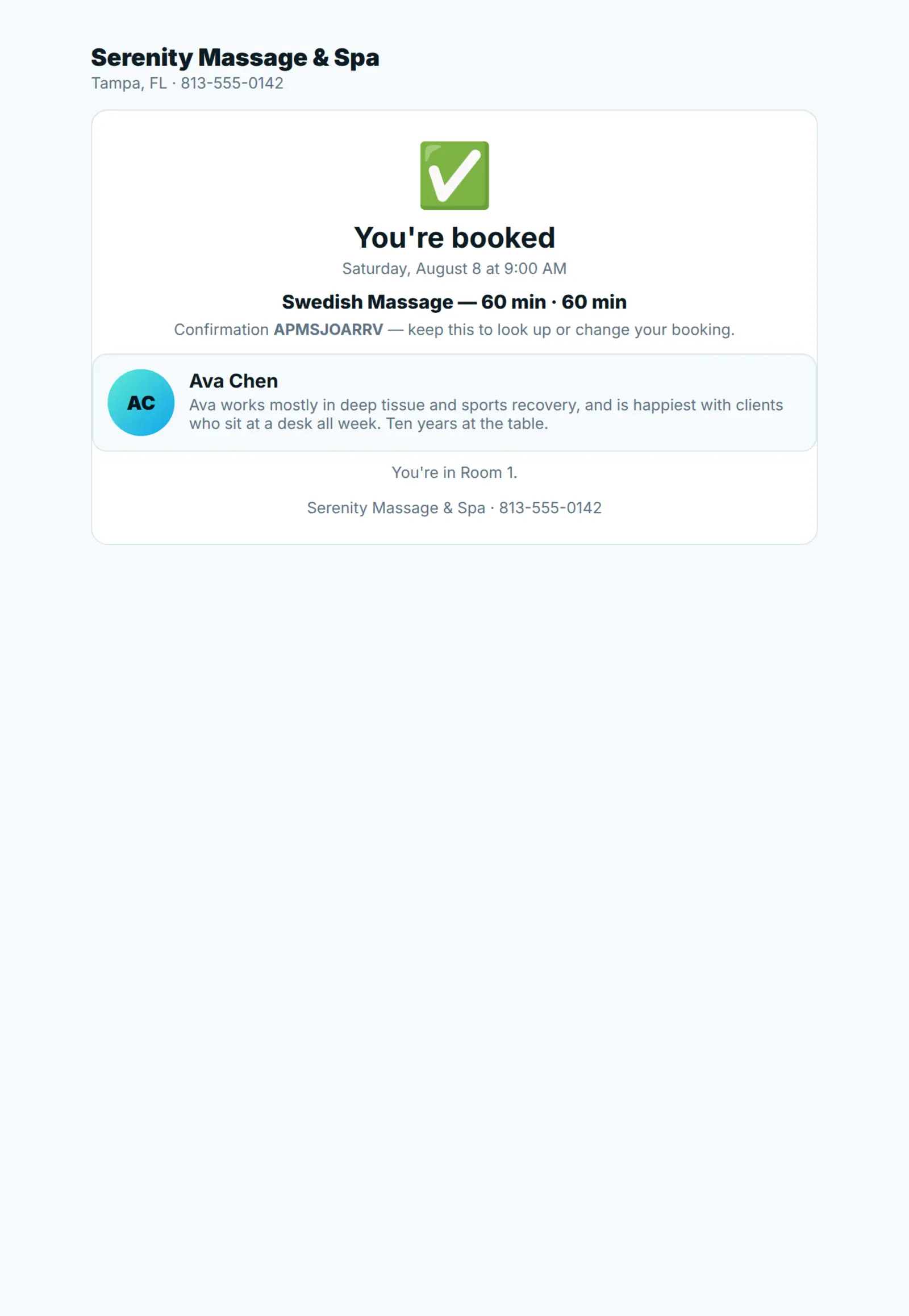
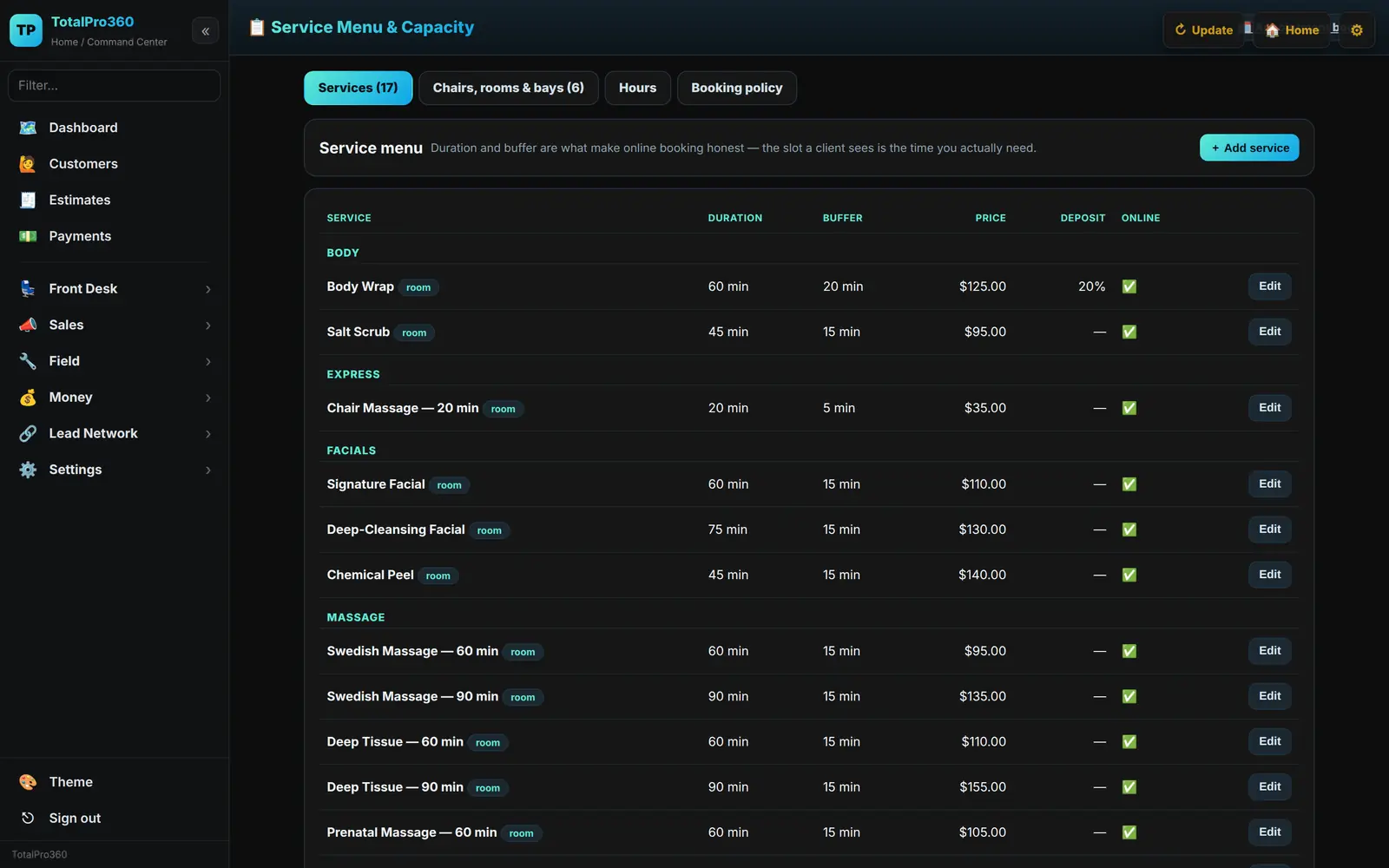
One booking screen that knows what each service takes, which staff member can do it and which room it needs — then a confirmation your client actually receives.
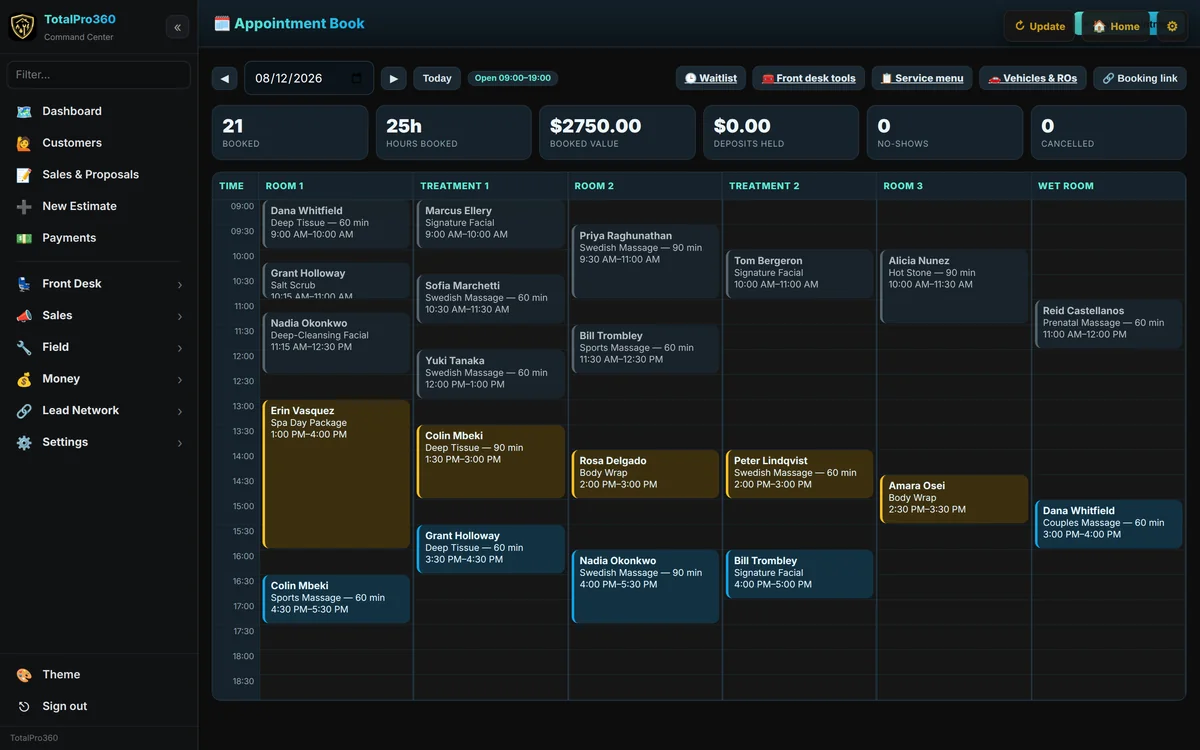
Services carry their own duration and turnover buffer; staff and rooms are booked together, so only genuinely open slots are offered.
$0 per month. $0 per seat. No card to start.
The business dashboard is free — booking, client records, service menu, quotes, invoicing and reporting included. There is no trial that turns into a bill, and no seat count to manage as you hire.
No software subscription, ever. Card payments cost 3.9% + 30¢. Read the full breakdown →
Where the product is today
TotalPro360 is in early access, and it is worth being straight about what that means. The platform underneath it has been running for home-service businesses for over a year, and the in-person layer went live on 7 August 2026 and has grown since. Every screenshot on this page is that software. The short list on the right is what isn't live yet.
Live today
- Online booking against real availability, with add-ons and prices by provider level
- Service menu with durations, turnover buffers and processing time that frees the provider
- Bookable resources — chair, room, bay, table, station
- Deposits, plus no-show and late-cancel fees
- Waitlist, online and from the front desk
- Text and email confirmations, and day-before reminders
- Intake and consent forms with e-signature
- Client records with formulas, notes and private before-and-after photos
- Packages and series that count down
- Memberships with included visits and member discounts
- Gift cards in store and online, with balance check
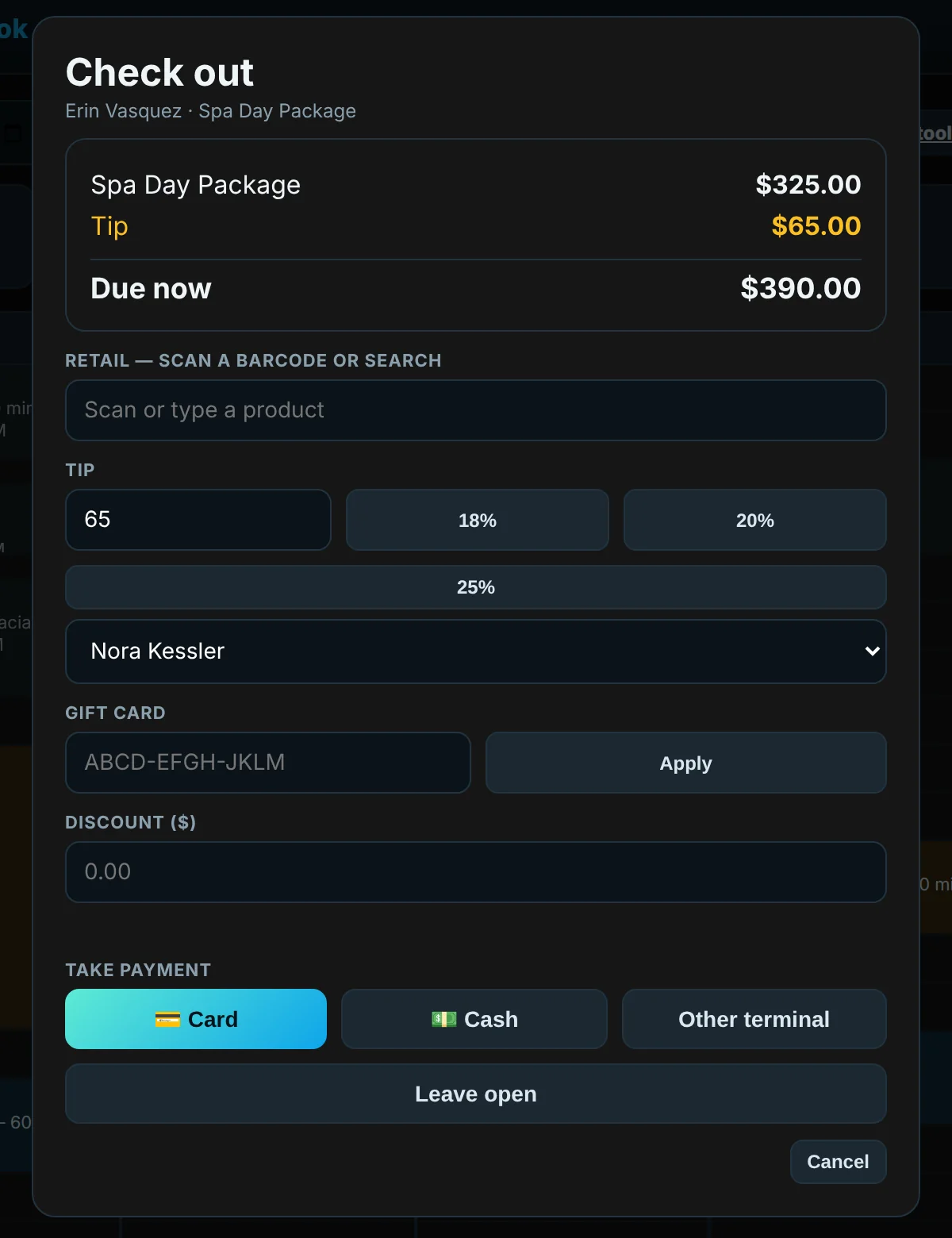
- Counter checkout with retail stock and barcode scanning
- Tips to a named provider, commissions and staff performance
- A rebooking prompt at checkout
- An AI receptionist that answers calls and books appointments
- The TotalPro360 client app: appointments, favorite providers, forms, packages, gift cards and receipts
- Vehicle records and repair orders, approved from a phone
- Card payments, ACH bank payments and Tap to Pay on Android
- Built-in accounting
- Staff records, roles and permissions, and reporting
- Automatic messages you switch on: appointment reminders, review requests, overdue-invoice reminders, rebook reminders, win-back and birthday emails, with unsubscribe, quiet hours and frequency caps
Not live yet
- Saving a client’s card at booking for no-show charges — coming soon
- Payroll — coming December 2026. Paid add-on: $39/month + $6 per employee
- Group classes and multiple locations — not available yet
Early access members shape the order these ship in, and pay nothing at any point. Why the software is free →
Interior decorator software questions
Is it really free forever?
Yes. The software is free forever: online booking and reminders, client records, checkout, invoicing, accounting, your website and the apps, for unlimited staff. It isn’t a trial, and there’s no credit card to start and no contract. Card payments cost 3.9% + 30¢, and ACH bank payments cost up to 1.8% (never more than $10). Paid add-ons are optional: the phone system is $79/month* (one business number with calls and texting, the AI receptionist, after-hours on-call dispatch and Compendium Capture), and payroll (coming December 2026) is $39/month + $6 per employee. Read the free-forever promise.
Is the interior design software free?
Yes. There’s no subscription, no per-user fee and no card to start.
Can I take a deposit before a project starts?
Yes. A booking can require a deposit when it’s made, and it’s credited against the final invoice.
Can I keep before-and-after photos for each client?
Yes. Photos and notes are saved privately on the client’s record.
Can I book visits at the client’s home?
Yes. Turn on “We go to the client” in Settings and appointments are booked at the client’s address.
Does it handle trade accounts or furniture ordering?
No. It runs your business: booking, quotes, deposits, payments, client records and accounting. You can sell retail items at checkout.
Further reading



Software for every service business
Run your design business like a much bigger one.
Early access is open. Bring your staff, your clients and your service menu — leave the software bill behind.
Get started free Log in*Included minutes and texts cover typical use. Usage above the included amounts is billed as overage, and larger or high-volume companies may be quoted higher phone and texting rates. See our Terms.